Deploying LLM with AidGen
Introduction
Deploying a Large Language Model (LLM) on edge devices refers to compressing, quantizing, and deploying large models that originally run in the cloud onto local devices, enabling offline, low-latency natural language understanding and generation. This chapter is based on the AidGen inference engine and demonstrates how to perform LLM deployment, loading, and conversation on edge devices.
In this case, the large language model inference runs on the device side, and the relevant interfaces are called through C++ code to receive user input and return conversation results in real time.
- Device: Rhino Pi-X1
- System: Ubuntu 22.04
- Model: Qwen2.5-0.5B-Instruct
Supported Platforms
| Platform | Running Method |
|---|---|
| Rhino Pi-X1 | Ubuntu 22.04, AidLux |
Preparation
- Rhino Pi-X1 hardware
- Ubuntu 22.04 system or AidLux system
- Prepare the model files
Visit Model Farm: Qwen2.5-0.5B-Instruct to download the model resource files.
💡Note
Select the QCS8550 chip.
Case Deployment
Step 1: Install the AidGen SDK
# Install AidGen SDK
sudo aid-pkg update
sudo aid-pkg -i aidgen-sdk
sudo aid-pkg -i aidgen-qnn236
sudo aid-pkg -i aidgen-qnn240

# Copy test code
cd /home/aidlux/aidllm

cp -r /usr/local/share/aidgen/examples/ ./
Step 2: Obtain Model Resources
# Log in
mms login

# Search for the model
mms list Qwen2.5-0.5B-Instruct

# Download the model
mms get -m Qwen2.5-0.5B-Instruct -p w4a16 -c qcs8550 -b qnn2.29 -d /home/aidlux/aidllm/qwen2.5-0.5b-instruct

cd /home/aidlux/aidllm/qwen2.5-0.5b-instruct
unzip qnn229_qcs8550_cl4096.zip
mv qnn229_qcs8550_cl4096/* /home/aidlux/aidllm/
Step 3: Confirm Resource Files
The file distribution is as follows:
/home/aidlux/aidllm
├── aidgen_chat_template.txt
├── chat.txt
├── htp_backend_ext_config.json
├── qwen2.5-0.5b-instruct-htp.json
├── qwen2.5-0.5b-instruct-tokenizer.json
├── qwen2.5-0.5b-instruct_qnn229_qcs8550_4096_1_of_2.serialized.bin
├── qwen2.5-0.5b-instruct_qnn229_qcs8550_4096_2_of_2.serialized.bin
├── examples
Step 4: Set the Conversation Template
💡Note
For the conversation template, refer to the aidgen_chat_template.txt file in the model resource package.
Modify the test_aidgen_text.cpp file according to the large model's template:
    // ========================================================================
    // 5. Build the prompt template (Qwen2 format)
    // ========================================================================
    std::string system_prompt =
        "<|im_start|>system\n"
        "You are Qwen, created by Alibaba Cloud. You are a helpful assistant.<|im_end|>\n";

    auto make_user_turn = [](const std::string& text) -> std::string {
        return "<|im_start|>user\n" + text + "<|im_end|>\n<|im_start|>assistant\n";
    };
Step 5: Compile and Run
cd /home/aidlux/aidllm/examples

# Compile
mkdir build && cd build
cmake .. && make

mv test_text_only /home/aidlux/aidllm/

cd /home/aidlux/aidllm/
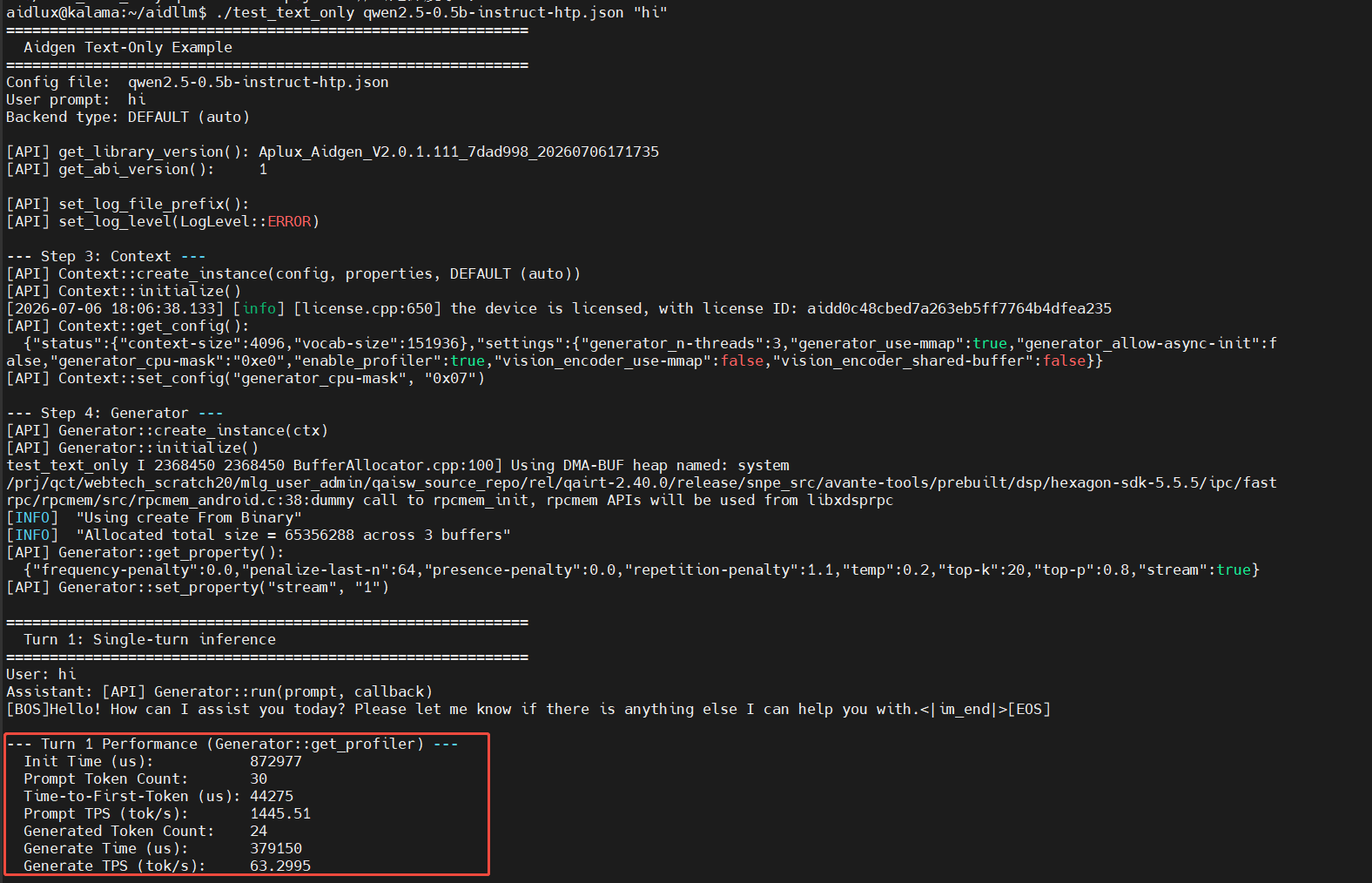
./test_text_only qwen2.5-0.5b-instruct-htp.json "hi"