Converged System AidLux
Development Environment
Python
Python is preinstalled in the AidLux system.
bash
aidlux@aidlux:~$ python3
Python 3.8.10 (default, Nov 22 2023, 10:22:35)
[GCC 9.4.0] on linux
Type "help", "copyright", "credits" or "license" for more information.
C & C++
[Install gcc, g++, clang, and gdb]
bash
sudo apt install -y gcc g++ clang gdb[Verify installation]
bash
gcc -v; g++ -v; clang -v; gdb -v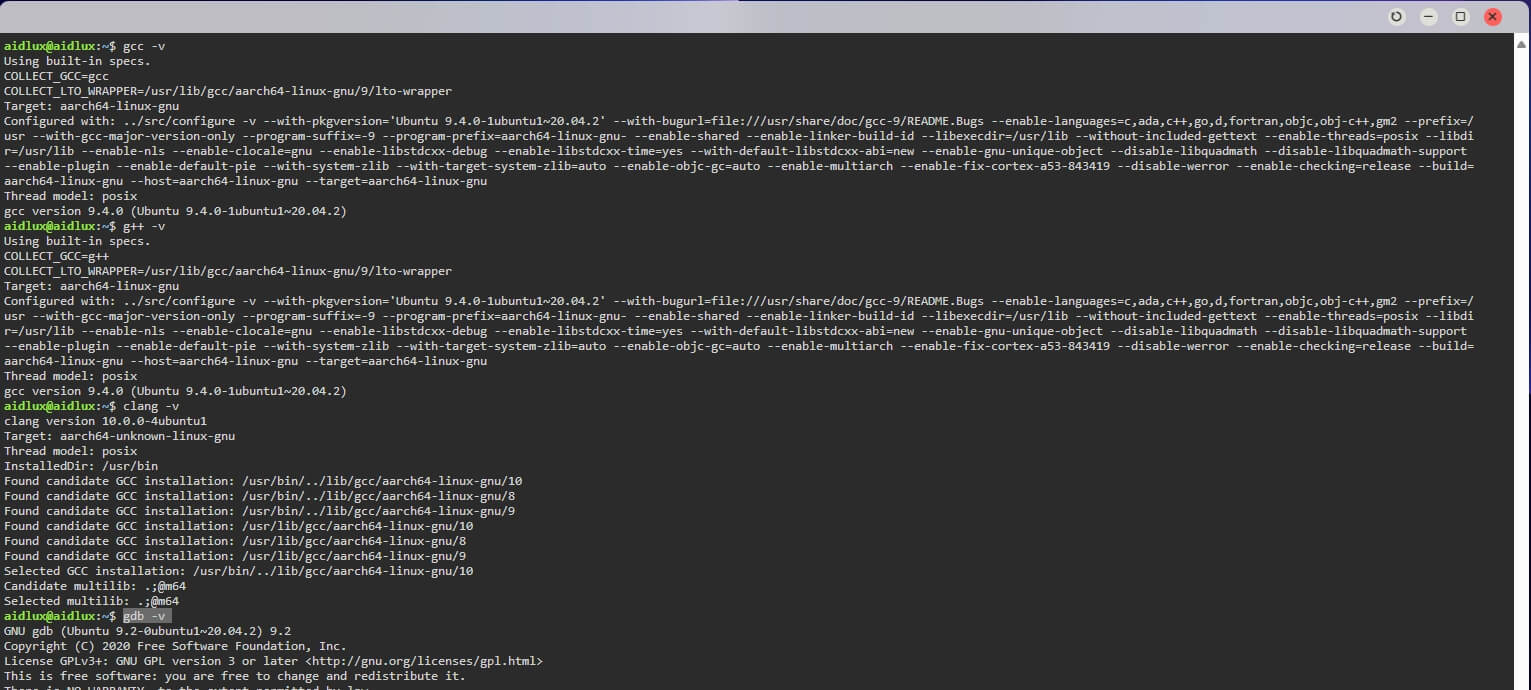
Go
- Update package index: First, update your package index to ensure you install the latest packages.
bash
sudo apt update- Install Go: You can install Go directly via the
aptpackage manager.
bash
sudo apt install golang-goThis installs the Go language environment and standard library.
- Verify installation: After installation, run the following command to verify Go is installed correctly:
bash
go versionThis outputs the installed Go version.
- Test: Create a new
test.gofile:
go
package main
import "fmt"

func main() { fmt.Printf("hello, world\n") }
Run it:
bash
aidlux@aidlux:~$ go run test.go
hello, world
Java
- Install OpenJDK JRE
bash
sudo apt install default-jre- Verify installation
bash
aidlux@aidlux:~$ java --version
openjdk 11.0.24 2024-07-16
OpenJDK Runtime Environment (build 11.0.24+8-post-Ubuntu-1ubuntu320.04)
OpenJDK 64-Bit Server VM (build 11.0.24+8-post-Ubuntu-1ubuntu320.04, mixed mode)
PHP
- Install
bash
sudo apt install php- Check version
bash
aidlux@aidlux:~$ php -version
PHP 7.4.3-4ubuntu2.24 (cli) (built: Sep 30 2024 18:16:20) ( NTS )
Copyright (c) The PHP Group
Zend Engine v3.4.0, Copyright (c) Zend Technologies
    with Zend OPcache v7.4.3-4ubuntu2.24, Copyright (c), by Zend Technologies
Vue.js
Use nvm (Node Version Manager).
nvm is a Node.js version manager that allows you to install and switch between different Node.js versions.
- First, install nvm:
bash
wget -qO- https://raw.githubusercontent.com/nvm-sh/nvm/v0.39.1/install.sh | bash- Then close and reopen your terminal, or run the following command to enable nvm:
bash
export NVM_DIR="$([ -z "${XDG_CONFIG_HOME-}" ] && printf %s "${HOME}/.nvm" || printf %s "${XDG_CONFIG_HOME}/nvm")"
[ -s "$NVM_DIR/nvm.sh" ] && \. "$NVM_DIR/nvm.sh" # This loads nvm- Install Node.js:
bash
nvm install node # install latest version
nvm install 16 # install a specific version, e.g. 16.x- Check Node.js version:
bash
aidlux@aidlux:~$ node -v
v23.0.0
aidlux@aidlux:~$ npm -v
10.9.0
Rust
Install:
bash
apt install -y rustc rust-src rust-gdb rust-doc rustdoc-stripperVerify installation:
bash
aidlux@aidlux:~$ rustc --version
rustc 1.75.0 (82e1608df 2023-12-21) (built from a source tarball)