Ultrasonic Sensor
DYP-A02YY-V2.0 Ultrasonic Sensor
Preparation
- Rhino Pi A1
- DYP-A02YY-V2.0 ultrasonic sensor (RS485 output, UART output also supported)
- Additional cables
Hardware Connection
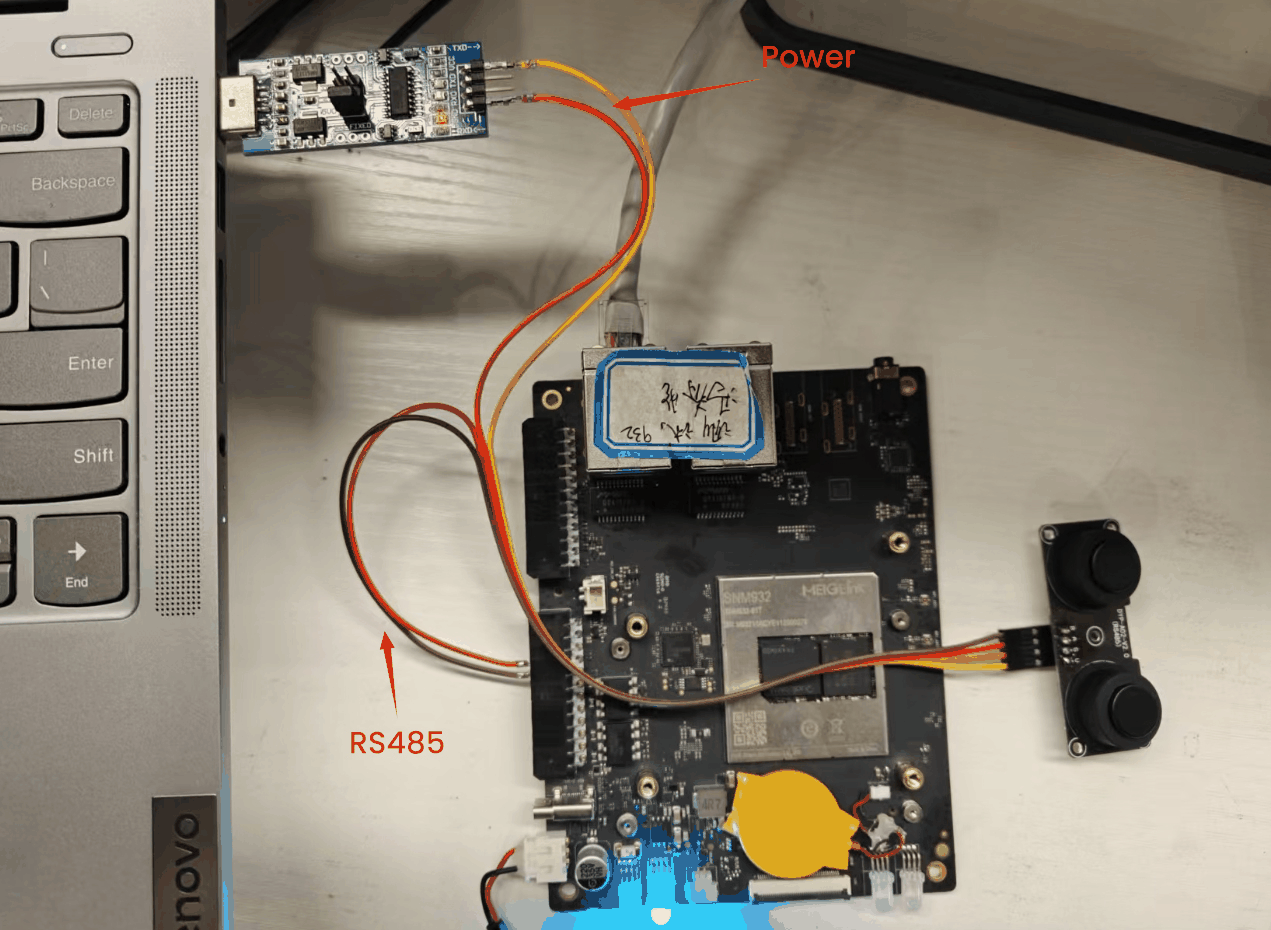
The sensor requires at least 5V power. Since the Rhino Pi A1 5V pin and GND pin are still under development, this example uses an external power supply.
Connect the ultrasonic sensor RS485 A/B signals to the Rhino Pi A1 RS485 A/B interface.
Test
The DYP ultrasonic sensor requires a manual distance measurement command to return a result. Each command generates one measurement.
- Because
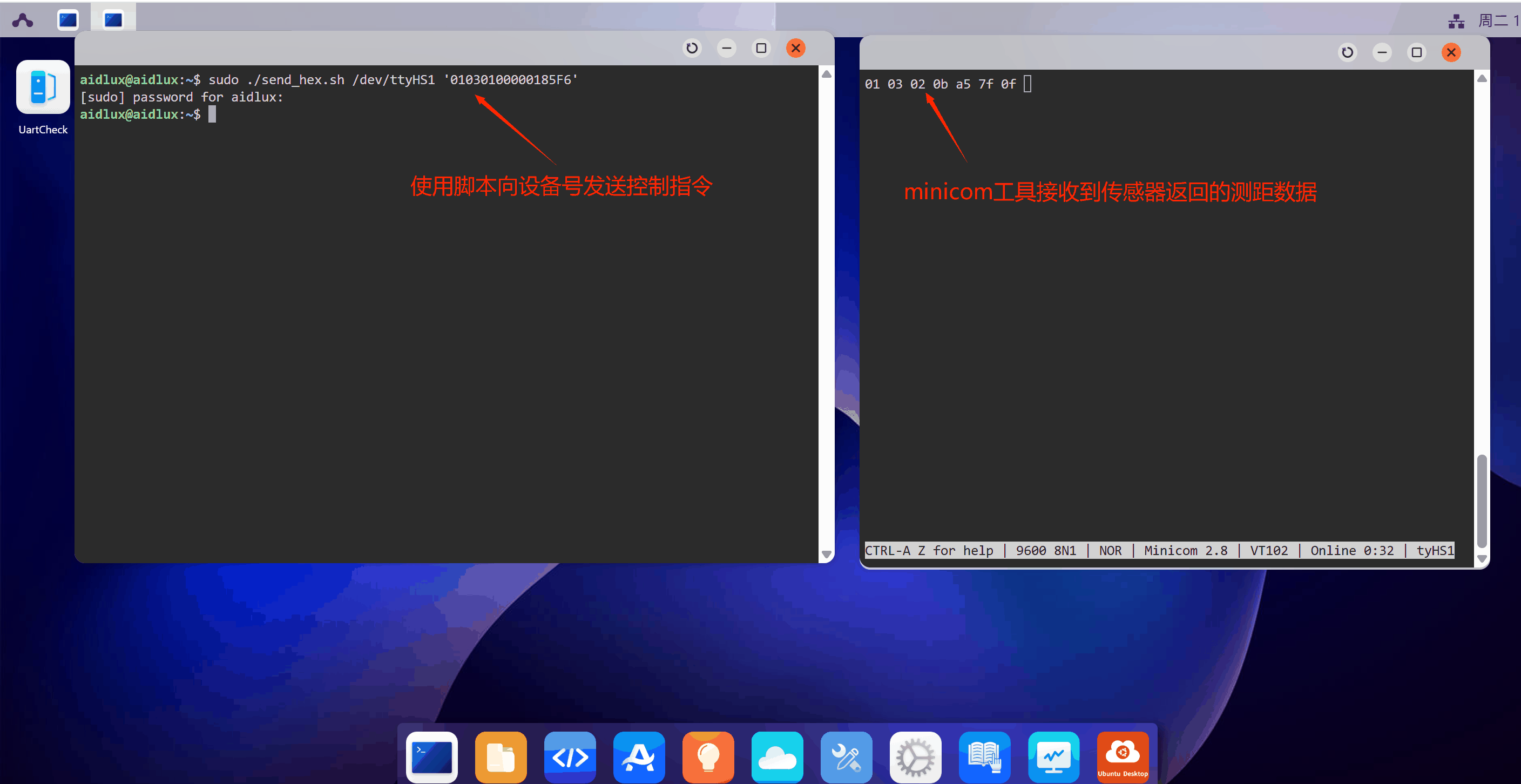
minicomcannot easily send raw hexadecimal input, use a script to convert hexadecimal text to binary and send it to the serial port. Example script:
shell
#!/bin/bash
# Check parameter count
if [ "$#" -ne 2 ]; then
    echo "Usage: $0 [serial port] [hex data]"
    exit 1
fi

SERIAL_PORT=$1
HEX_DATA=$2

printf "$HEX_DATA" | xxd -r -p > $SERIAL_PORT- Send the command using the script:
shell
./send_hex.sh /dev/ttyHS1 '01030100000185F6'/dev/ttyHS1 is the RS485 device node on Rhino Pi A1.
01030100000185F6 reads the processed distance value. Other commands are available in the DYP product manual.
- Use
minicomon AidLux to receive data. If it is not installed, install it with:
shell
sudo apt update
sudo apt install minicom
Open the serial port:
shell
sudo minicom -D /dev/ttyHS1 -b 9600 -H-b 9600 sets the baud rate to 9600 (sensor default).
-H enables hexadecimal display.