Basic ADB Usage
ADB (Android Debug Bridge) is a command-line tool used for communication between computers and devices. It supports app installation, debugging, file transfer, log viewing, and device control via USB or network.
Install ADB
Visit the link ADB Download and select the corresponding platform to download the ADB software.
Verify the ADB Environment
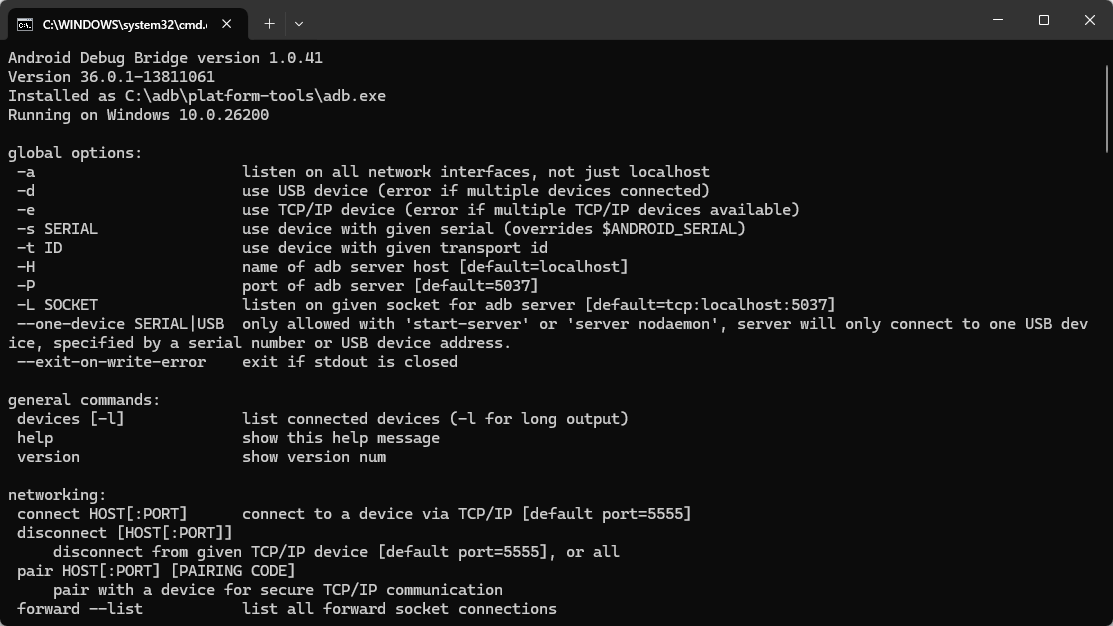
Open Terminal in the ADB folder directory and enter adb. If ADB-related command descriptions are output, the environment is functioning normally.
Basic ADB Commands
shell
# View currently connected devices
adb devices

# If multiple devices are detected
adb -s <device_serial_number> <other_commands>

# Install an APK file
adb install xxx.apk

# Transfer files:
# Push files from PC to the device's SDCard
adb push <path_to_file_on_PC> /sdcard

# Pull files from the device to PC
adb pull <path_to_file_on_device> <path_to_save_on_PC>

# Enter the shell environment
adb shell

# Reboot the device
adb reboot