DSP Monitor Deployment
Introduction
DSP Monitor is a tool for monitoring DSP performance. It helps users understand the DSP operating status and performance metrics in real time.
Supported Platform
| Platform | Runtime Environment |
|---|---|
| IQ8275 | Ubuntu 24.04 |
Prerequisites
IQ8275 hardware
Ubuntu 24.04 system
System Dependency Configuration
Configure the AidLux Package Source
# Download the correct public key
sudo wget -O- https://archive.aidlux.com/ubuntu24/public.key | gpg --dearmor | sudo tee /etc/apt/trusted.gpg.d/private-aidlux.gpg > /dev/null

# Edit the source list file
sudo vim /etc/apt/sources.list.d/private-aidlux.list

# Add the repository provided by AidLux to the source file
deb [arch=arm64 signed-by=/etc/apt/trusted.gpg.d/private-aidlux.gpg] https://archive.aidlux.com/ubuntu24 noble main

# Update the package cache
sudo apt update
After the update is complete, you can use the following command to retrieve the official AidLux SDK dependencies:
sudo apt list | grep aid | grep unknown# Install software
# Must be installed first (not included with the system)
sudo apt install python3 python3-pip libopencv-dev python3-opencv net-tools
# Must be installed before aidlite
sudo apt install aidlux-aistack-base aidrtcm
# Install aidlite and dependencies
sudo apt install aid-lms aidlms-sdk aidlite-sdk cmake
sudo apt-get install libfmt-dev nlohmann-json3-dev
sudo apt install aidlite-*
# DSP support
sudo apt-get install qcom-fastrpc1
sudo apt-get install qcom-fastrpc-dev
# Install aidgen-sdk
sudo apt install aidgen-qnn240-sdk
# Install mms service
sudo apt install aid-mms
# GPU support
sudo apt-add-repository -s ppa:ubuntu-qcom-iot/qcom-ppa
sudo apt install qcom-adreno-cl1
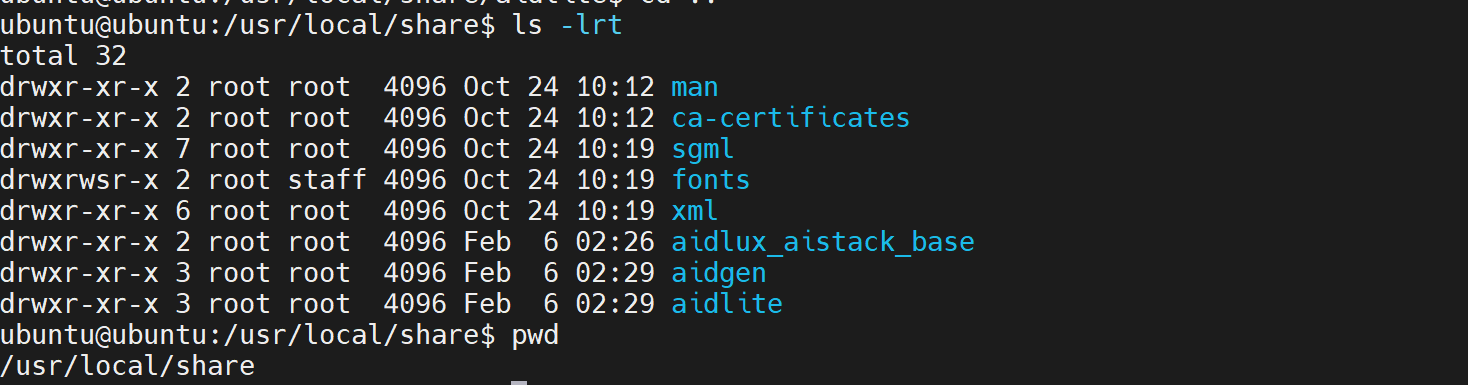
sudo ln -s /usr/lib/aarch64-linux-gnu/libOpenCL.so.1 /usr/lib/aarch64-linux-gnu/libOpenCL.soAfter installation, check that the aidlite and aidgen directories have been added under /usr/local/share:
Device Authorization
Obtain the Device Serial Number
cat /sys/devices/soc0/serial_numberObtain the License File
Provide the serial number to APLUX technical staff to generate a device-specific License file, then place it in the /etc/opt/aidlux/license/AidLuxLics directory.
Activate the License
sudo /opt/aidlux/cpf/aid-lms/manager.sh restartDSP Monitor Installation and Usage
sudo apt install aplux-aistack-dsp-monitor-v73After installation, you can start the DSP Monitor service with the following command:
# npu 0
dsp_mon --all --cdsp_index 0
After starting, the system will display the current DSP performance indicators and operating status:
dsp arch: V75
dsp current freq: 768.000000 (MHz), current sample time(ms): 1002.231018
qdsp6 utilization: 0.663679 (%)
hvx utilization: 0.000000 (%)
hmx utilization: 0.000000 (%)