MMS Usage & Obtaining Preview Models
Using mms requires a Model Farm account login. Please visit Model Farm Account Registration
System Dependency Configuration
Configure AidLux Dependencies
# Download the correct public key
sudo wget -O- https://archive.aidlux.com/ubuntu24/public.key | gpg --dearmor | sudo tee /etc/apt/trusted.gpg.d/private-aidlux.gpg > /dev/null

# Edit source file
sudo vim /etc/apt/sources.list.d/private-aidlux.list

# Fill in the private key provided by AidLux in the source file
deb [arch=arm64 signed-by=/etc/apt/trusted.gpg.d/private-aidlux.gpg] https://archive.aidlux.com/ubuntu24 noble main

# Update cache
sudo apt update
After the update is complete, you can obtain the official AidLux SDK dependencies through the following command:
sudo apt list | grep aid | grep unknown# Install software
# Must be installed first, not included in the system
sudo apt install python3 python3-pip libopencv-dev python3-opencv net-tools
# Must be installed before aidlite
sudo apt install aidlux-aistack-base aidrtcm
# Install aidlite and dependencies
sudo apt install aid-lms aidlms-sdk aidlite-sdk cmake
sudo apt-get install libfmt-dev nlohmann-json3-dev
sudo apt install aidlite-*
# Support DSP
sudo apt-get install qcom-fastrpc1
sudo apt-get install qcom-fastrpc-dev
# Install aidgen-sdk
sudo apt install aidgen-qnn240-sdk
# Install mms service
sudo apt install aid-mms
# Support GPU
sudo add-apt-repository ppa:ubuntu-qcom-iot/qcom-noble-ppa
sudo apt install qcom-adreno-cl1
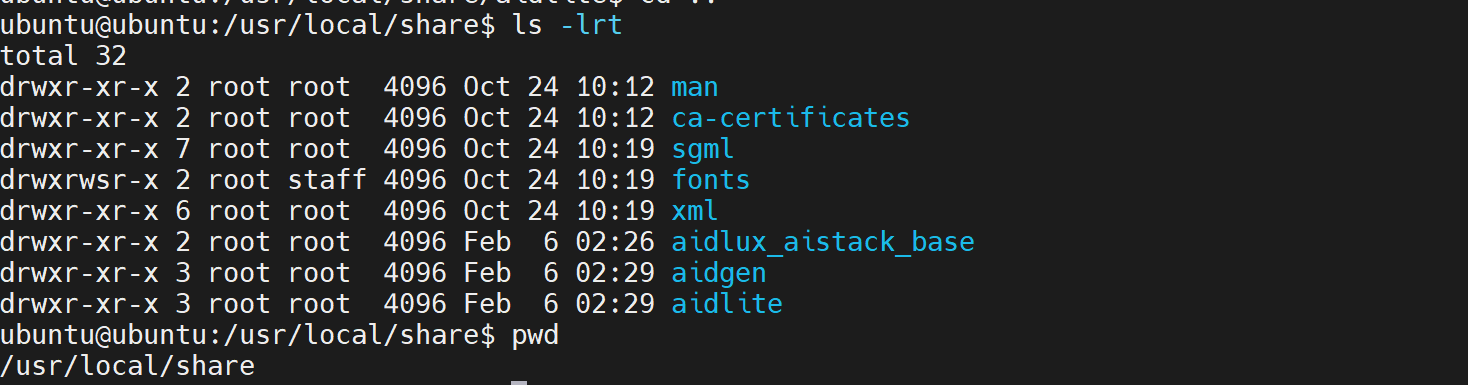
sudo ln -s /usr/lib/aarch64-linux-gnu/libOpenCL.so.1 /usr/lib/aarch64-linux-gnu/libOpenCL.soAfter installation, check the system /usr/local/share for the newly added aidlite and aidgen directories.
Device Authorization
Obtain Device SN Code
cat /sys/devices/soc0/serial_numberObtain Authorization File
Provide the SN number to AidLux technical personnel to generate a device-specific License file, and place it in the path /etc/opt/aidlux/license/AidLuxLics.
MMS Usage
MMS is a component provided for AidLux development board users. It allows logging into Model Farm via the command line to query and download model files. The specific process is as follows:
- Login
mms login

# Enter your username:
# Enter your password:

# After entering the correct account and password, you will be prompted:
# Login successfully.- Model Query
# List all models
mms list

# Search for models by name
mms list yolo
Model        Precision  Chipset           Backend
-----        ---------  -------           -------
YOLO-NAS-l   FP16       Qualcomm QCS8550  QNN2.29
YOLO-NAS-l   INT8       Qualcomm QCS6490  QNN2.29
YOLO-NAS-l   INT8       Qualcomm QCS8550  QNN2.29
YOLO-NAS-l   W8A16      Qualcomm QCS6490  QNN2.29
YOLO-NAS-l   W8A16      Qualcomm QCS8550  QNN2.29
YOLO-NAS-m   FP16       Qualcomm QCS8550  QNN2.29
YOLO-NAS-m   INT8       Qualcomm QCS6490  QNN2.29
YOLO-NAS-m INT8 Qualcomm QCS8550 QNN2.29- Model Download
# -m: Model name
# -p: Model precision
# -c: Chipset
# -b: qnn version
# Download the yolov6l model with INT8 precision, optimized for the QCS8550 chipset platform, using QNN2.23 as the inference framework
mms get -m yolov6l -p int8 -c qcs8550 -b qnn2.23


Downloading model from https://aiot.aidlux.com to directory: /var/opt/modelfarm_models

Downloading [yolov6l_qcs8550_qnn2.23_int8_aidlite.zip] ... done! [40.45MB in 375ms; 81.51MB/s]

Download complete!
Obtaining Preview Section Model Resources
Models in the Preview section of Model Farm do not support web downloads. Developers can use the mms command on AidLux boards to download these models. Taking the acquisition of MobileClip2-S3 as an example:
- **Login via
mms**
mms login

# Enter your username:
# Enter your password:

# After entering the correct account and password, you will be prompted:
# Login successfully.- Query Model
mms list mobileclip # Keyword search supported

# You will see the following output:
Model           Precision  Chipset           Backend
-----           ---------  -------           -------
MobileClip-S2   FP16       Qualcomm QCS8550  QNN2.31
MobileClip2-S3 FP16 Qualcomm QCS8550 QNN2.36- Download MobileClip2-S3
# -m: Model name
# -p: Model precision
# -c: Chipset
# -b: qnn version
mms get -m MobileClip2-S3 -p fp16 -c qcs8550 -b qnn2.36

# Model resources will be downloaded to /var/opt/modelfarm_models by default